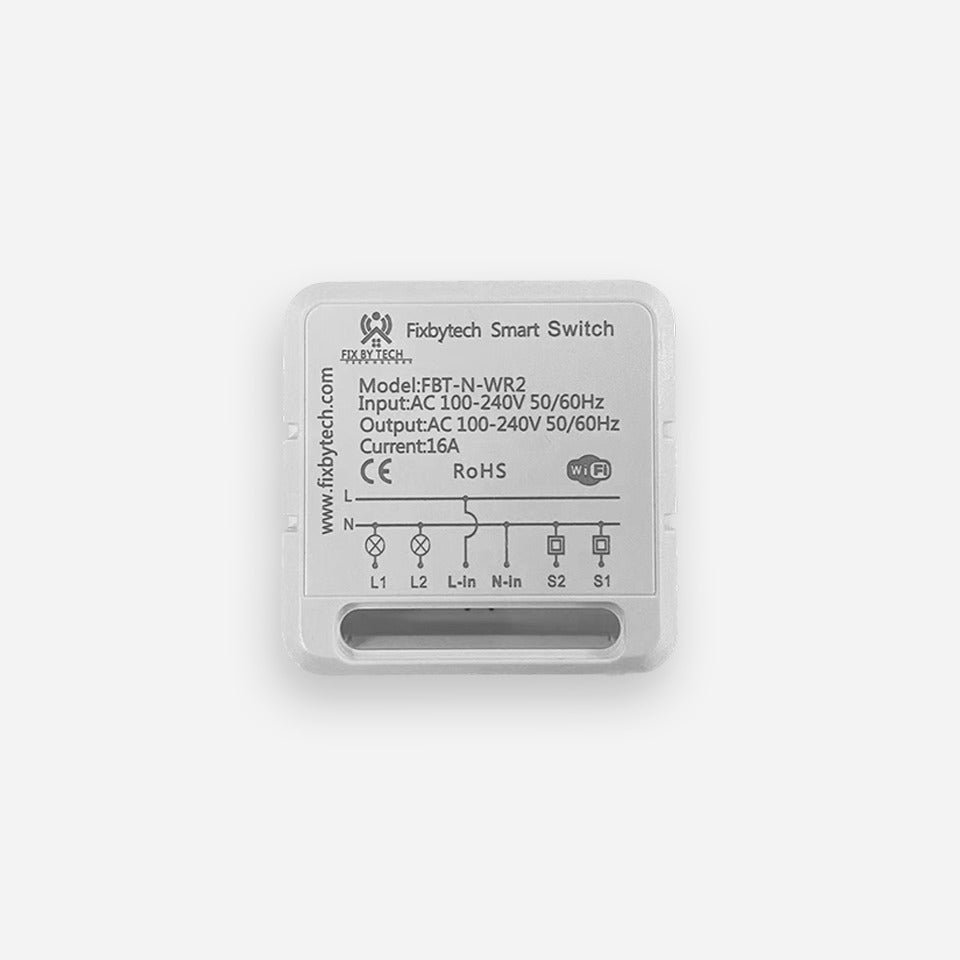
FBT-N-WR Mini Smart Switch 16A 2 Gang Works with Smart Life App Alexa Google Home
₨2,200.00
FBT-N-WR solar accessory price in Pakistan – Available at The Xpert Services, Lahore.
- Product: FBT-N-WR Mini Smart Switch 16A 2 Gang Works with Smart Life App Alexa Google Home
- Quality solar system component
- Compatible with standard solar installations
- Warranty included
nn
⚠️ Price Notice: Prices are updated on a daily basis due to market fluctuations. Please confirm the final price before placing your order. Call or WhatsApp us for the latest price.
Description
FBT-N-WR Mini Smart Switch 16A 2 Gang Works with Smart Life App Alexa Google Home
The Fixbytech Smart Switch (FBT-N-WR2) is a versatile Wi-Fi-enabled device that lets you control your electrical appliances and lighting from anywhere. With dual-channel output and a high load capacity of 16A, it supports AC 100-240V at 50/60Hz, making it ideal for modern smart homes.
Key Features:
Dual Independent Control – Operate two devices separately through a single smart switch module.
App Remote Control – Control connected appliances anytime via the Fixbytech Smart app (iOS/Android).
Voice Command Support – Compatible with Amazon Alexa and Google Assistant for hands-free control.
Timer & Schedule Settings – Automate devices with custom schedules, countdowns, and recurring timers.
Scene Mode – Group multiple smart devices for one-tap automation (e.g., “Good Night” scene).
Device Sharing – Share control access with family members through the app.
Power-On State Memory – Configure the default state after a power outage (ON, OFF, or last state).
Overload Protection – Built-in safety features prevent short circuits and power surges.
Compact Installation – Installs behind traditional wall switches or inside junction boxes.
HOW TO CONNECT:
- Turn Off Power: Switch off the main power supply before installation for safety.
-
Install the Switch:
- Connect the live (L), neutral (N), and load wires according to the wiring diagram.
- Secure the mini switch behind your wall switch or inside a switch box.
- Restore Power:Turn the power back on after proper installation.
- Download the App: Install the Fixbytech Smart app from the App Store or Google Play.
-
>Pair the Device:
- Open the app and tap “Add Device.”
- Put the switch into pairing mode (usually by holding the reset button for 5 seconds until the indicator blinks).
- Follow the on-screen steps to connect to your Wi-Fi.